Property ManagementLaravel & MySQLRBAC

Real Estate Management Platform

A property management system built for real estate agencies to track portfolios, units, and tenants — including a multi-step onboarding flow that adapts to individual, organization, and company tenant types.

01

Overview & Context

The Challenge

Real estate agencies were tracking property portfolios, tenants, leases, and payments manually, with no single system connecting occupancy status, contract dates, and financial records for owners and staff.

The Scope

Built to the client's requirements: a centralized platform covering property and unit management, a multi-step tenant onboarding flow, contract and lease tracking, and financial reporting, with role-based access for staff.

02

Key Modules

Portfolio Tracking

Property & Unit Management

Tracks properties, units, and ownership across residential and commercial types, with occupancy status (available, rented, reserved, under process).

Onboarding

Tenant Management

A multi-step tenant intake flow capturing identity, contact, and representative information (individual, organization, or company), with supporting document attachments.

Contracts

Lease & Contract Tracking

Tracks active and expiring contracts, with reporting on contracts expiring soon so owners and staff can act before a lease lapses.

Finance

Payment & Accounts Overview

A chart-of-accounts style structure (revenue, expenses, assets) alongside due and overdue payment reporting for property owners.

03

Database Schema & Relational Design

A relational schema connecting properties and units to tenants, contracts, and payment records, so occupancy and financial reporting stay in sync.
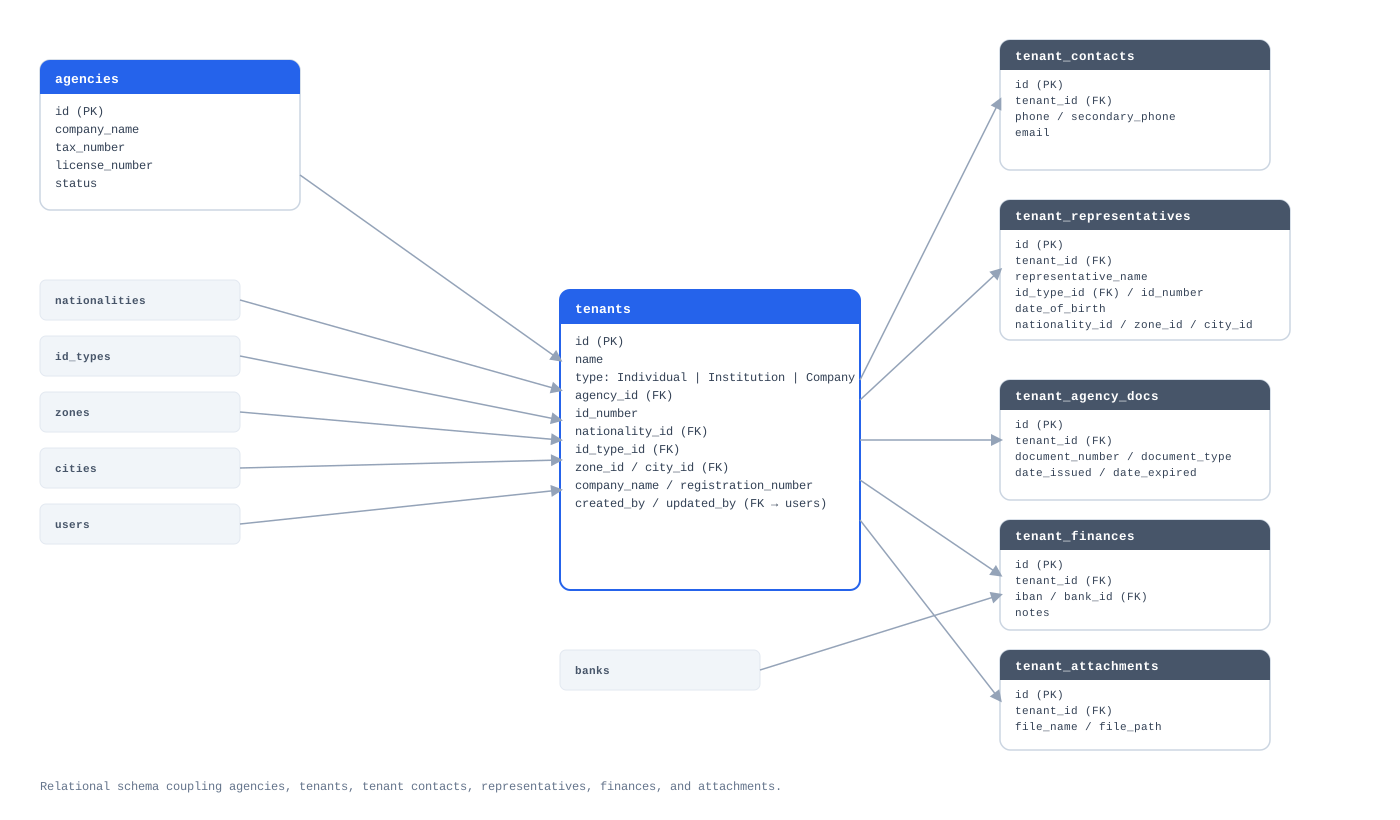
Real Estate Database Schema
Click to expand

Figure 3.1: Schema coupling agencies, tenants, contacts, representatives, finances, and attachments.

04

Tenant Onboarding Flow

Built on the Metronic admin template. A multi-step flow for registering tenants, handling different owner types and their legal representatives. Screens shown use demo data.
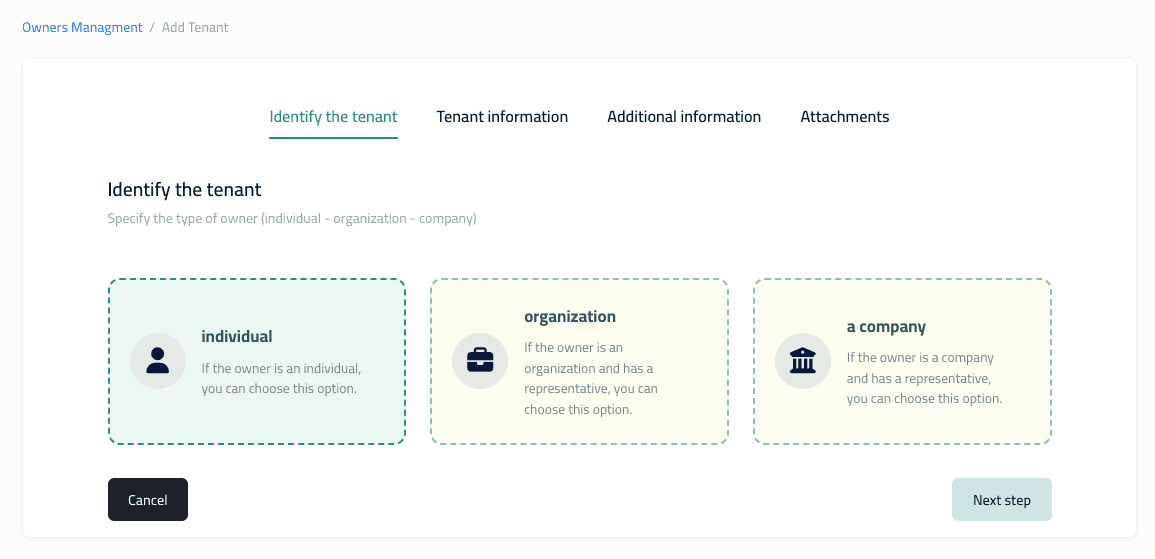
Identify the TenantDemo data
Click to expand

Step 1: Identify Tenant Type

Individual, organization, or company — each with different downstream fields.
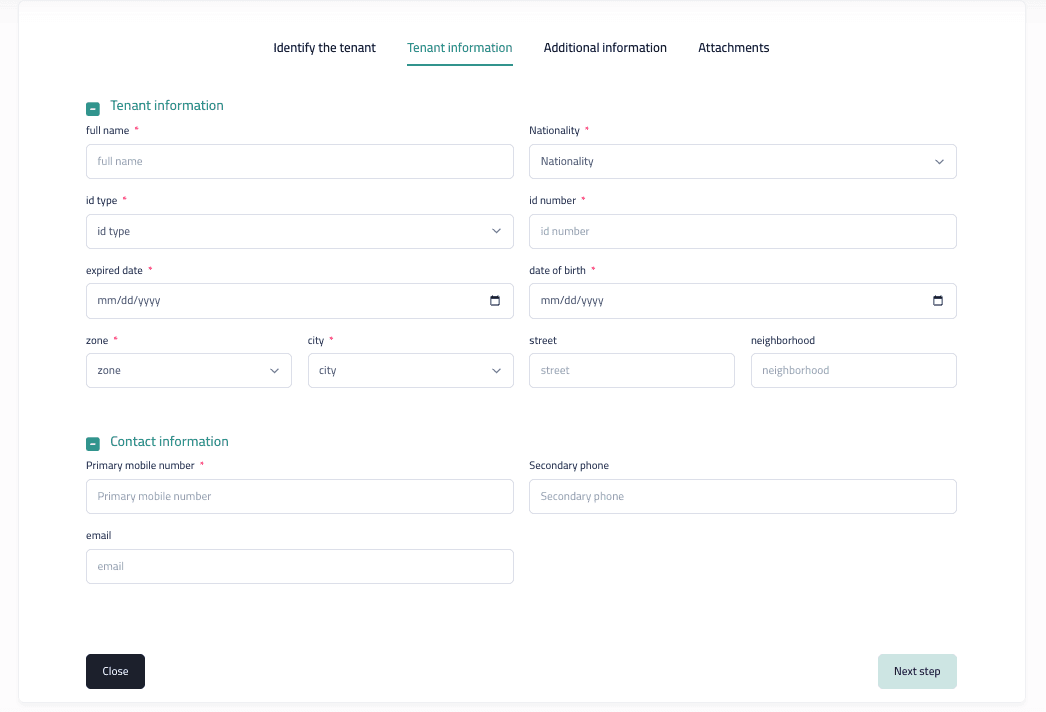
Tenant Information FormDemo data
Click to expand

Step 2: Tenant & Contact Info

Identity verification, location, and contact details.
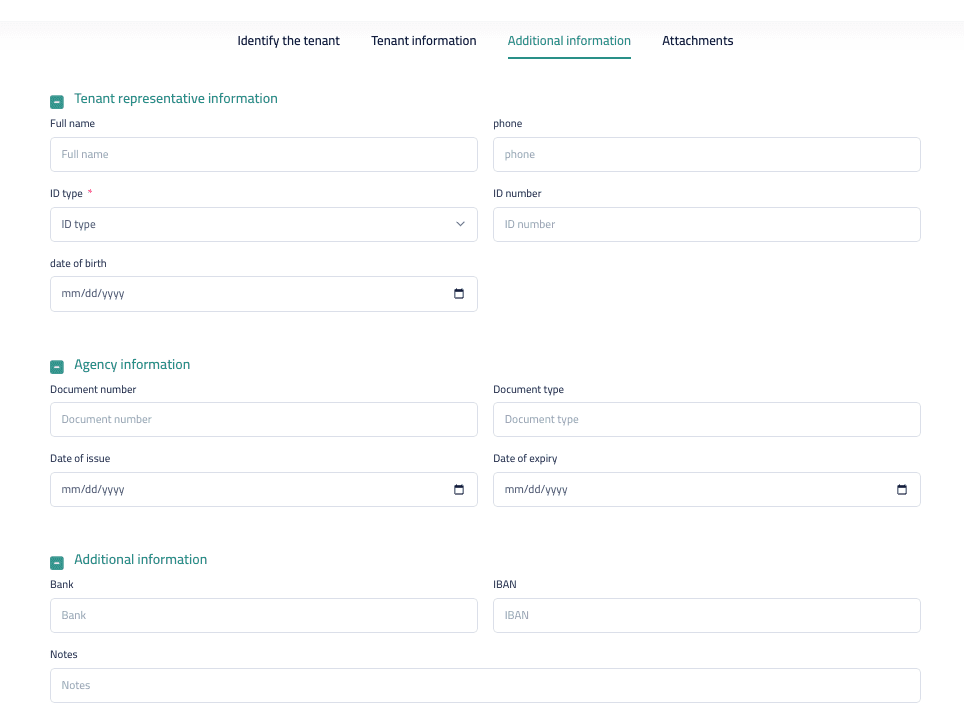
Additional InformationDemo data
Click to expand

Step 3: Representative & Agency

Legal representative details and linked agency/bank information for organizations and companies.

Let's build your next system →